






[SOLVED] FPS/GPU usage Dropping when game window is in focus?

Status
Not open for further replies.

dklims

Distinguished
Nov 3, 2015
100
0
18,710
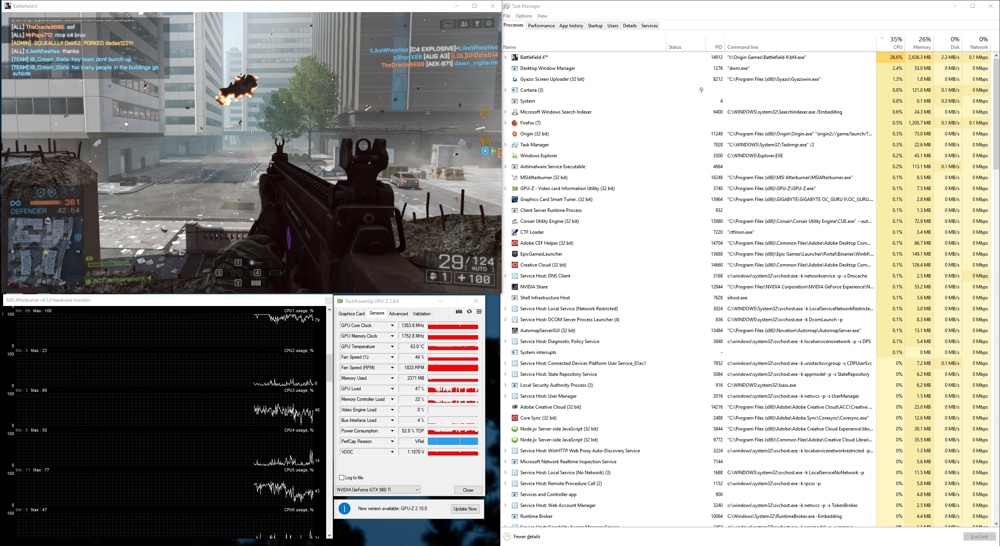
Hey guys... I have forever had the issue in bf4 (and some other games) that when the game window is in focus my fps and GPU Usage% drop... its super frustrating.

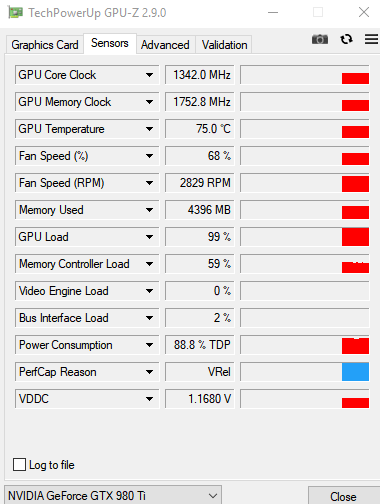
Here is what my GPU usage looks like in game (lots of downspikes.)

7b75bba7030707d7525c98838beed53d.png


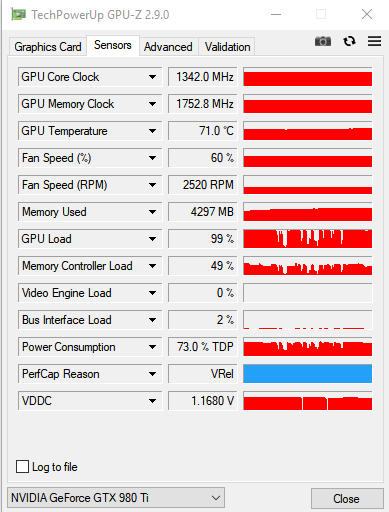
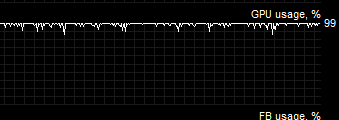
and here is what it looks like when i click out of the game window but still have the game on screen (just out of focus) and the game runs at high fps.
67cc57a8b441dbbffea79e260ec1d1f6.png


I have already tried clean install of new drivers multiple times 🙁

Any ideas?
 
Last edited by a moderator:


when the GPU usage is 100% the game runs at about 120fps - its when the gpu usage is dipping constantly i get low fps - but its spikes down... like 120,120,120,15,13,20,120,13
Ram is at 14GB/32GB

FYI:
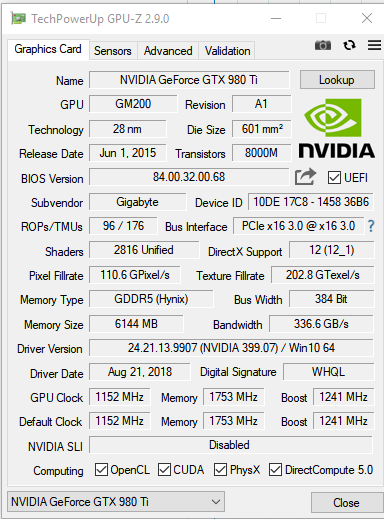
I am running a i7 6900k, 32GB of RAM, 980ti, and the game is on an ssd


yupp - I had just started it up... give me a couple minutes and ill have somethin

Thank you for taking the time to help!


099f9f90970d1c648c9e3cff0b1648da.png


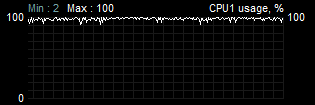
And here is a graph on CPU core #1.... could it really be a the first core maxing out? I would think a 6900k could handle bf4 with relative ease... I know its a little slower than the 4 core i7's at single threaded tasks but still... that seems crazy right (overall cpu usage is about 29%)
dd1a1d1c6be7b090c8b8130646bf3aba.png


played for a couple minutes and actually you can see the cpu usage dipping all over the place too
6bfed6e43d65c17919d043854499da7c-jpg.jpg


Here is how bad/inconsistent the fps is
f94015d671130ec46ecd3aebcf48efbb.png
 
I FINALLY FIGURED THIS OUT. So I still have the Intel i7 6900k (8 core/ 16 thread processor). If I disable half the threads by setting the affinity to "cores (really threads) 0-7 the game runs perfectly fine. There must be a threading issue with the game or engine where maybe they didn't account for having so many threads and the main thread has to "wait" for the other threads to finish what ever they are doing... can't really say for sure without actually seeing the code and debugging it but that's my theory.

I wrote a really quick powershell script and replaced the shortcut for "bf4" with a shortcut calling my script which just starts the game, waits a few seconds, then, sets the affinity to cores 0-7.


Code:
start "I:\Origin Games\Battlefield 4\bf4.exe"
Start-Sleep -s 15
$thisProcess = Get-Process bf4
$thisProcess.ProcessorAffinity = 0xFF
 
I FINALLY FIGURED THIS OUT. So I still have the Intel i7 6900k (8 core/ 16 thread processor). If I disable half the threads by setting the affinity to "cores (really threads) 0-7 the game runs perfectly fine. There must be a threading issue with the game or engine where maybe they didn't account for having so many threads and the main thread has to "wait" for the other threads to finish what ever they are doing... can't really say for sure without actually seeing the code and debugging it but that's my theory.

I wrote a really quick powershell script and replaced the shortcut for "bf4" with a shortcut calling my script which just starts the game, waits a few seconds, then, sets the affinity to cores 0-7.


Code:
start "I:\Origin Games\Battlefield 4\bf4.exe"
Start-Sleep -s 15
$thisProcess = Get-Process bf4
$thisProcess.ProcessorAffinity = 0xFF
Dude, I now it's been 6 years but THANK YOU for fixing the problem for me. 😀
I've been going insane for the last 2 hours trying to figure out why Detroit: Become Human had garbage FPS, and your tip did the trick, somehow. :)
When troubleshooting, I noticed my GPU's fans weren't turning when the game was on, and noticed that GPU utilization was at 4% when I alt-tabbed out of the game, and climbed to 60%+ after a few seconds. Then I switched the game to windowed to see what would happen, and noticed the FPS climb when the game was out of focus. That's what drove me, eventually, to this thread. :)
 
Status
Not open for further replies.